
A smart home sounds expensive: voice assistants, wall-mounted tablets, and hours of wiring. In practice, you can get most of the everyday benefits (lower bills, more comfort, a bit more security) with a few small, affordable devices and no electrician.
This guide shows you where to start, what is worth buying first, and which mistakes waste money.
What Does “Smart Home” Actually Mean?
A smart home is a home where everyday devices such as lights, plugs, thermostats, and cameras connect to your Wi-Fi so you can control them from your phone, a schedule, or your voice.
You don’t need all of it. Think of it as upgrading one problem at a time: high energy bills, forgetting to turn things off, or wanting to check on the house while you’re away.
Step 1: Start With a Clear Goal
Before buying anything, decide what you want to improve. Your goal tells you which device to buy first.
- Save energy: smart plugs, a smart thermostat
- Add comfort: smart bulbs, schedules, voice control
- Feel safer: a video doorbell, door and window sensors
- Save time: routines that run automatically (for example, lights on at sunset)
Pick one goal and one device. You can always expand later.
Step 2: Choose One Ecosystem (or a Compatible Standard)
Most smart devices work with a voice assistant or app, such as Amazon Alexa, Google Home, or Apple Home. Mixing devices that don’t work together is one of the most common and costly beginner mistakes.
Look for the Matter logo on the box. Matter is an open connectivity standard from the Connectivity Standards Alliance, designed so certified devices can work across major ecosystems. Learn more about Matter on the CSA website. Matter is still maturing, so always check that a specific device supports the app or assistant you use before you buy.
Budget-Friendly Upgrades That Make a Real Difference
1. Smart Plugs: The Easiest Starting Point
A smart plug sits between the wall outlet and a device. It lets you switch that device on or off from your phone, set schedules, and sometimes track energy use.
Good uses:
- Lamps and holiday lights
- Fans and small heaters (check the plug’s maximum power rating first)
- Coffee makers and chargers
Why it helps: Many electronics keep using a little power when they are “off,” often called standby or phantom load.
Keep in mind: a smart plug itself uses a small amount of power to stay connected. It makes the most sense for older or power-hungry electronics, not for devices that already use almost nothing in standby.
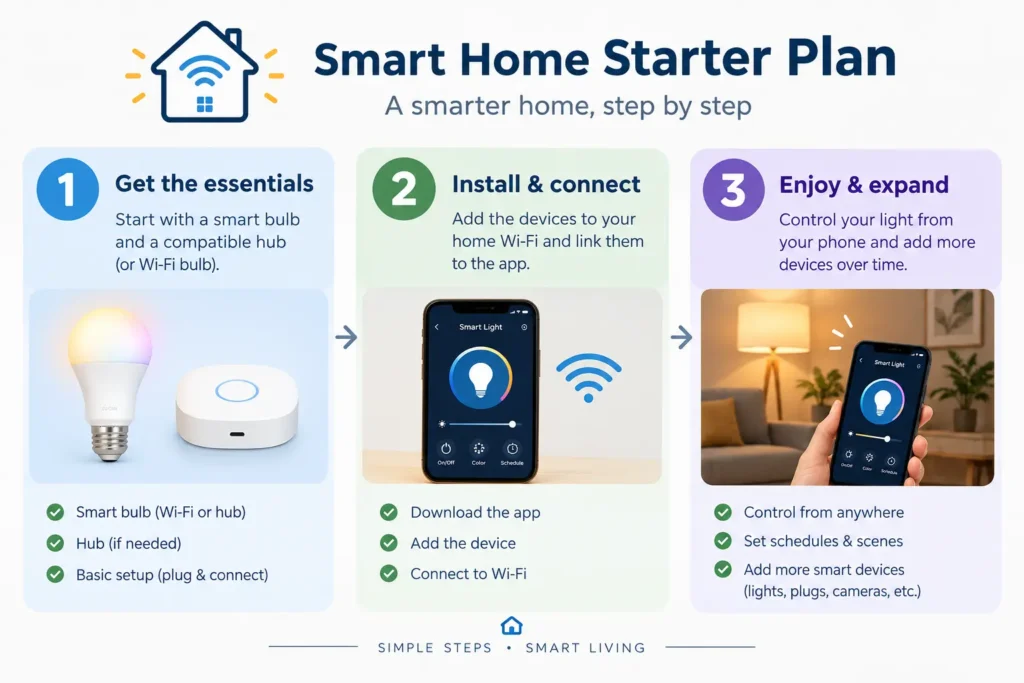
2. Smart Bulbs: Comfort and Convenience
Smart bulbs screw into your existing lamps. You can dim them, change the color temperature (warm for the evening, cool for the morning), and set schedules.
Tips:
- Start with the rooms you use most, such as the living room and bedroom.
- Don’t replace every bulb at once. Try one or two first.
- Keep the wall switch on. A smart bulb can’t respond to your phone if the switch cuts its power.
3. A Smart Thermostat: The Biggest Energy Upgrade
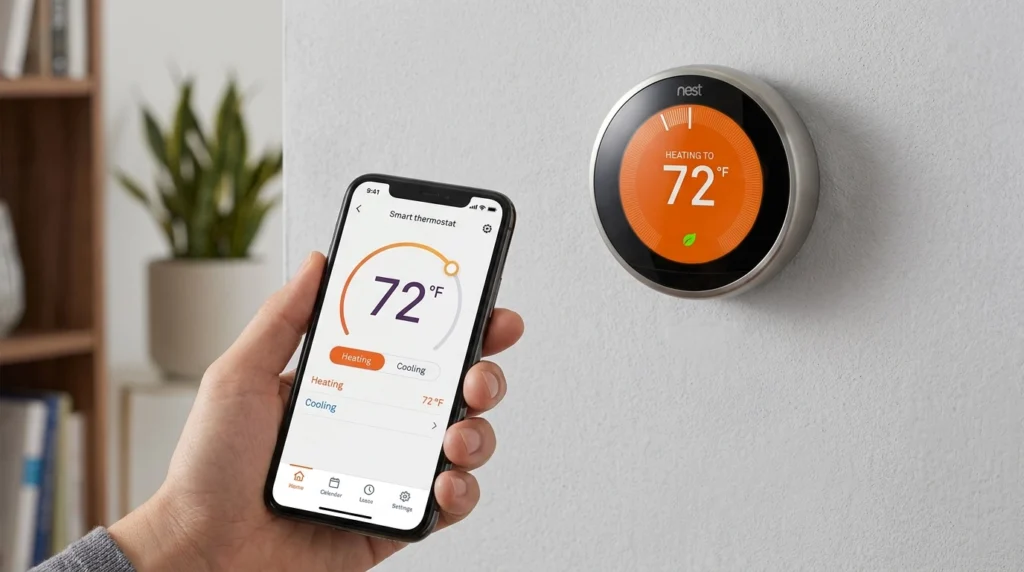
Heating and cooling are usually the largest part of a home’s energy use, so a smart thermostat can be the most valuable upgrade on this list.
According to ENERGY STAR, certified smart thermostats save an average of about 8% of heating and cooling energy, roughly $50 a year. That figure comes from the program’s 2016 announcement of its smart thermostat specification, and your own savings will vary with your climate, home, and habits. ENERGY STAR also notes that prices range widely, roughly $50 to $300, and that most work with many common heating and cooling systems. Check ENERGY STAR’s smart thermostat guide and confirm compatibility with your system before buying.
4. Low-Cost Security Add-Ons
You don’t need a full alarm system to feel safer. Affordable options include:
- A video doorbell
- Door and window sensors
- A smart plug that turns a lamp on and off while you travel
5. Free Upgrades: Routines and Schedules
Once you have a few devices, the free software features add the most value. Try:
- Good morning: lights come on gradually at your wake-up time
- Away: lights and plugs switch off when you leave
- Evening: lamps turn on at sunset
Secure Your Smart Home (Don’t Skip This)
Every connected device is another door into your network. Basic habits protect you:
- Change default passwords. Use strong, unique ones.
- Secure your Wi-Fi router with a strong password and encryption.
- Turn on multi-factor authentication for device accounts when available.
- Install updates for apps and device firmware.
- Review settings for cameras, microphones, and location access.
For a practical checklist, read CISA’s Protecting Your Digital Home tip sheet.
Common Mistakes to Avoid
- Buying too much too soon. Start with one device and expand.
- Ignoring compatibility. Check that a device works with your phone and assistant.
- Choosing the cheapest no-name device. Very cheap devices may lack updates and support.
- Forgetting Wi-Fi coverage. Smart devices need a stable signal. A weak router makes everything frustrating.
- Skipping security. Default passwords are easy to guess.
- Overloading a smart plug. Always check its maximum power rating.
A Simple Starter Plan
| Stage | What to Do |
|---|---|
| Week 1 | Set up one or two smart plugs on a lamp and an entertainment system |
| Week 2 | Add a smart bulb in your most-used room and create a simple schedule |
| Later | Consider a smart thermostat if your heating or cooling bills are a concern |
| Always | Update passwords and keep apps and devices updated |
Frequently Asked Questions
Do I need a hub to start a smart home?
Not always. Many Wi-Fi smart plugs and bulbs work directly with a phone app. Some devices, especially those using Zigbee or Thread, work best with a compatible hub or speaker. Check the product’s requirements.
Will a smart home work if the internet goes down?
It depends. Many devices need internet access for remote control and voice commands. Some can still run local schedules or work with a physical switch. Check each device’s offline behavior.
Are smart home devices safe?
They can be, if you set them up carefully. Use strong, unique passwords, enable multi-factor authentication, keep software updated, and buy from reputable brands.
Can renters use smart devices?
Yes. Smart plugs, bulbs, and many sensors need no installation or changes to the property, so they suit rentals well. Thermostats and wired devices may need landlord approval.
Do smart devices really save money?
They can, but results vary. Savings depend on your home, habits, and the device. Treat savings estimates as averages, not guarantees.
Conclusion
Making your home smarter doesn’t require a big budget or technical skills. Pick one goal, choose compatible devices, secure your network, and add upgrades gradually. A couple of smart plugs and a bulb may be all you need to notice the difference.